Vehicle PC for Fleet Management: Reliable Computing for Trucks, Forklifts, and Transportation
In the previous rugged tablet guide, the main question was how to choose a mobile device for field service, warehouse, and logistics teams. This article continues the same decision path from the vehicle side. Many fleet and warehouse projects do not fail because the software idea is wrong. They fail because the device is not designed for the place where it is used: a vibrating forklift, a delivery truck, a warehouse dock, a bus cabin, or a yard vehicle that runs through long shifts.
A vehicle PC, also called a vehicle-mounted computer or forklift computer, is built to support in-vehicle workflows. It gives drivers and operators a reliable screen for receiving instructions, confirming tasks, communicating with dispatch, viewing routes, capturing data, and keeping operational systems updated. The goal is not just to put a tablet into a vehicle. The goal is to make the vehicle part of the digital workflow.
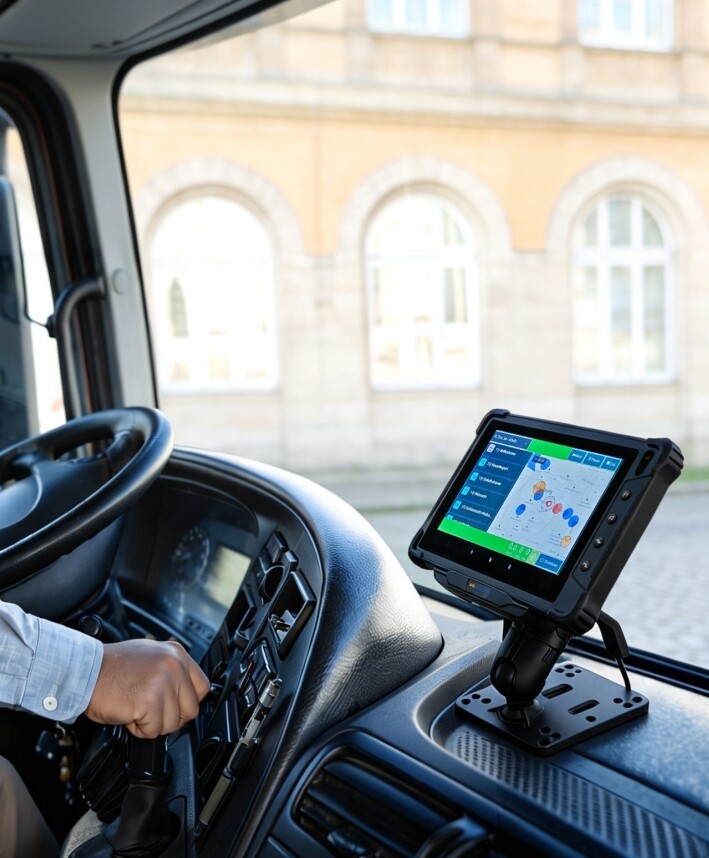
What Is a Vehicle PC in Fleet Management?
A vehicle PC is an industrial computer designed for use in vehicles such as trucks, forklifts, buses, delivery vans, warehouse tractors, port equipment, emergency vehicles, and other mobile assets. It usually combines a rugged display, vehicle-ready mounting, stable power input, wireless communication, and interfaces for peripherals such as scanners, printers, cameras, speakers, or external antennas.
In fleet management, the vehicle PC becomes the operator’s working terminal. It can support dispatch instructions, navigation, proof of delivery, route updates, vehicle inspection forms, driver communication, cargo verification, and real-time data transfer. In warehouses, it can support WMS screens, forklift picking tasks, pallet movement, loading confirmation, and yard management.
Practical view: if the operator mainly works inside a vehicle and needs a screen that stays powered, mounted, and connected, start by evaluating a vehicle PC. If the operator frequently leaves the vehicle and carries the device to scan, inspect, or collect signatures, review a rugged tablet as well.
Vehicle PC vs Rugged Tablet vs Rugged Handheld: How to Choose
This is the most important connection with the rugged tablet article. A rugged tablet, a vehicle PC, and a rugged handheld can all appear in logistics or warehouse projects, but they solve different problems. The wrong choice can create small daily friction that becomes expensive at scale.
| Device Type | Best Fit | Typical Workflows | Main Risk If Chosen Wrong |
|---|---|---|---|
| Vehicle PC | Fixed or semi-fixed in-vehicle operation | Forklift WMS, fleet dispatch, route guidance, loading confirmation, driver communication | Too fixed if workers need to carry the device outside the vehicle often |
| Rugged tablet | Mobile work between vehicle, warehouse, field site, and customer location | Proof of delivery, field service, inspection, asset tracking, mobile forms, photo records | May need extra dock, power, and mounting planning for long in-vehicle use |
| Rugged handheld | High-frequency scanning with minimal screen interaction | Inventory count, parcel scanning, retail stocktaking, asset check, warehouse picking | Screen may be too small for maps, dispatch dashboards, or complex forms |
For many logistics teams, the best result is not one device for everyone. A forklift driver may need a vehicle PC. A delivery driver may need a rugged tablet. A warehouse picker may need a rugged handheld. A dispatcher may need a desktop dashboard connected to all three.


Comments
Post a Comment